

Validate each user's source IP
Bind partner accounts and groups to their expected source networks, adding identity-aware access control beyond a network firewall.

- Updated
- 2026-10-28
A network firewall can restrict which addresses may reach a file transfer service. It cannot confirm that the account used on an allowed connection belongs to the organization operating that source network.
SFTPPlus MFT closes this gap by validating the source IP address against the authenticated user or the user's groups. The connection must come from a source allowed for that identity, not just from any network allowed by the firewall.
Prevent one partner from impersonating another
Consider a service used by Partner A and Partner B. Partner A connects from 192.0.2.0/24, while Partner B connects from 198.51.100.0/24. The network firewall allows both ranges so that both partners can reach the service and transfer files.
If someone at Partner A obtains Partner B's credentials, the firewall still permits the connection because it originates from an approved Partner A address. Without an additional identity-aware check, those credentials could be used to authenticate as Partner B.
With SFTPPlus, Partner A's account is restricted to 192.0.2.0/24 and Partner B's account is restricted to 198.51.100.0/24. An attempt to use Partner B's credentials from Partner A's network is rejected, even though the firewall allows that network to reach the service.
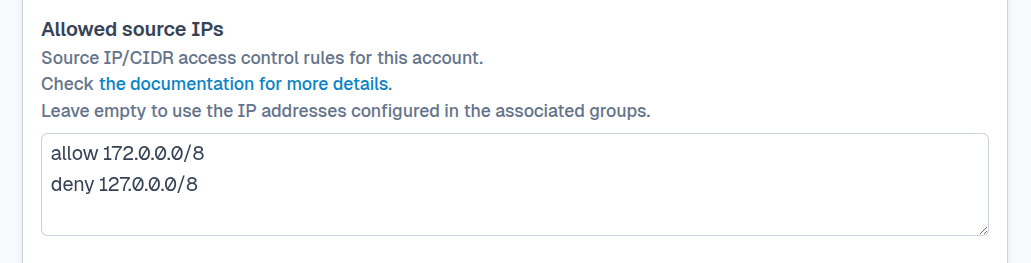
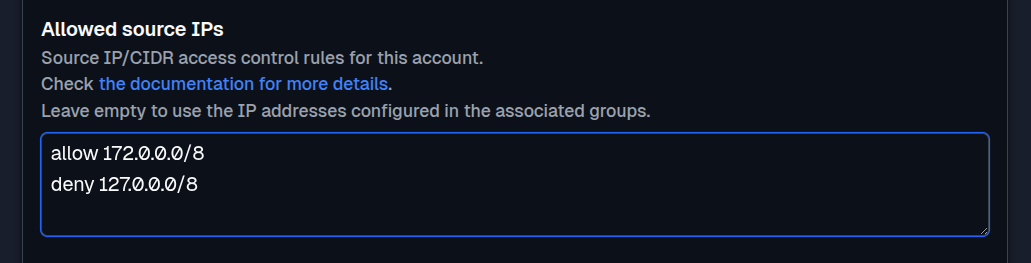
Manage source rules by user or group
An individual account can have its own list of accepted and rejected IPv4 or IPv6 addresses, CIDR ranges, countries, and autonomous system numbers (ASNs). This is useful when a partner has a dedicated account or requires an exception from a shared policy.
For organizations with several users, the source IP rules can be defined on an SFTPPlus group. Accounts associated with that group use the shared network rules, which avoids copying the same configuration to every user. Group-based rules also work with users authenticated through external identity systems, allowing network access to follow the SFTPPlus group assigned during authentication.
Filter partners by country or network provider
Country and ASN rules use SFTPPlus MFT's GeoIP database to classify the source IP address. For example, you can allow a partner account to connect from a country where it operates, or from the autonomous system used by its transfer gateway. An ASN identifies the network announcing the address, which may be a hosting or internet provider rather than the partner itself.
Use these rules when a partner's approved addresses change or span a provider's network. If an account or group has a nonempty source IP filter, a source without a matching allow rule cannot use that account or group. Check the partner's actual connection addresses before applying a country or ASN rule, especially if it uses a VPN or cloud service. See GeoIP filtering for file transfers for service-level and partner-level examples.
Add identity-aware control to existing network protection
Per-user source IP validation complements rather than replaces the firewall. The firewall limits which networks can open a connection, the SFTPPlus security policy filters and automatically blocks sources, and the account or group rule verifies that the source is valid for the requested identity.
This layered approach reduces the impact of stolen partner credentials and prevents an approved network from becoming a path into another partner's account. Authentication attempts and their source addresses are recorded in the SFTPPlus audit logs for investigation and monitoring.
See the source IP filtering options for accounts and groups for configuration details.