

PKI, Let's Encrypt & Certificate Validation
SFTPPlus MFT uses public key infrastructure (PKI) and X.509 certificates to validate identities for TLS-protected file transfers. Administrators can configure trusted certificate authorities, certificate revocation lists, public key pinning, and trust on first use for different transfer partners and environments.
Standard TLS Certificate Validation
By default, SFTPPlus validates a remote TLS server by checking its certificate validity period, hostname, and chain of trust to a configured certificate authority. This is the preferred validation method for FTPS, HTTPS, AS2, and other TLS-protected connections.
SFTPPlus services can also validate X.509 client certificates against trusted certificate authorities. This allows certificates issued by an internal or public PKI to identify clients connecting to a protected service.
Free, Automated TLS Certificates with Let's Encrypt
SFTPPlus includes an ACME client that can request publicly trusted TLS certificates from Let's Encrypt and renew them automatically. Let's Encrypt certificates are accepted by major web browsers and are available without an additional certificate fee. The same certificate can protect HTTPS, FTPS, and other TLS services configured in SFTPPlus.
SFTPPlus keeps generated private keys and certificates in its internal vault by default. It can also export the private key, certificate, and certificate chain as PEM files in a local directory for HAProxy, Nginx, or another application on the same server. This allows SFTPPlus to replace certbot without requiring separate renewal scripts or scheduled jobs.
Let's Encrypt uses an HTTP challenge to verify control of a domain, so public port 80 must be open or forwarded to the SFTPPlus instance. Only one application can listen directly on the same address and port. When another web server already uses port 80, its /.well-known/acme-challenge/ requests can be forwarded to SFTPPlus.
See the Let's Encrypt configuration documentation for setup details.
Monitor Certificate Expiry
SFTPPlus emits a warning event when a configured certificate is approaching its expiry date. The Web Manager dashboard also displays a warning so that administrators can replace the certificate before it interrupts a service or transfer.
Certificate expiry events can be sent to an email event handler to alert the team responsible for certificate renewal. See event handlers for the available notification and integration options.
Certificate Revocation List Validation
A certificate authority can revoke an X.509 certificate before its expiry date, for example when its private key is lost or compromised. SFTPPlus can check certificate revocation lists (CRLs) so that a revoked certificate is no longer accepted.
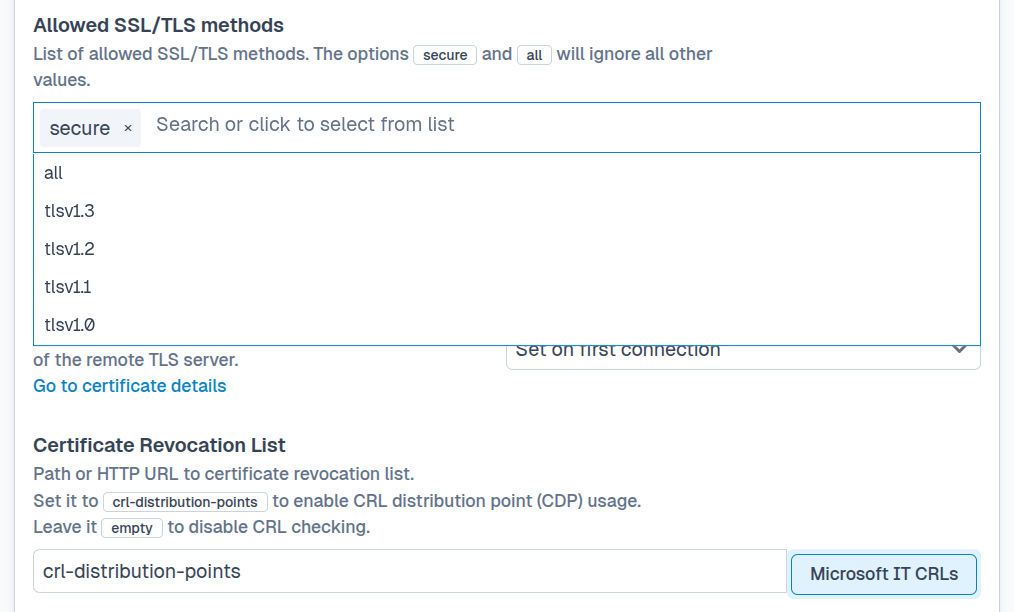
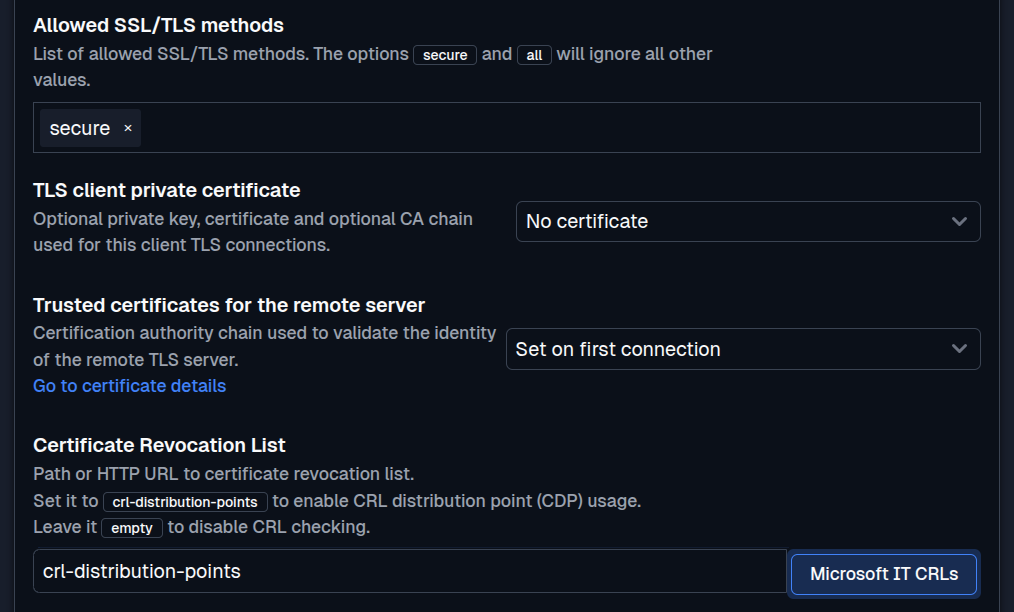
Administrators can load multiple CRLs from local files or HTTP locations. SFTPPlus refreshes them according to their published update schedule and records CRL loading and refresh operations in the audit log. When a required CRL cannot be refreshed, the protected service fails rather than continuing with stale revocation information.
Public Key Pinning for Legacy Servers
Some legacy servers use a certificate that cannot pass standard TLS validation because it has expired, does not match the server hostname, or was issued by an unavailable certificate authority. For these cases, SFTPPlus supports TLS public key pinning.
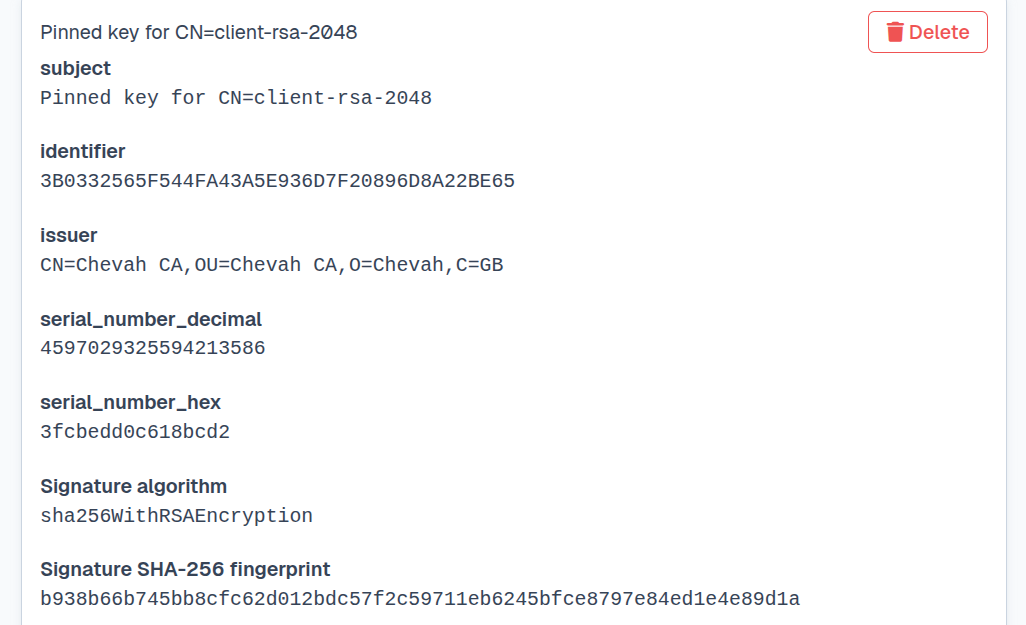
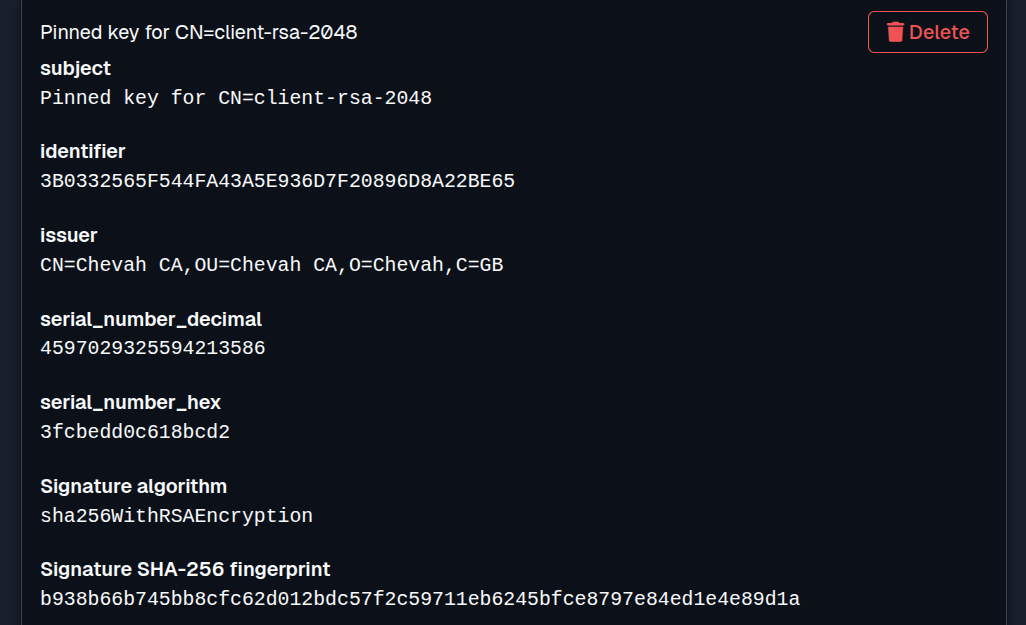
Administrators configure a fixed list of trusted server public keys, not certificates. SFTPPlus validates the identity of the remote TLS server by matching its public key. The certificate attributes, including its hostname, validity period, and certificate authority chain, are ignored. Configuring a pinned public key explicitly accepts that these certificate properties will not be validated. The public key should be verified through a separate trusted channel before it is pinned.
Remember a Certificate Authority on First Connection
SFTPPlus can automatically detect the remote server's certificate authority on the first connection and remember it for subsequent connections. This trust-on-first-use option is useful when a transfer partner cannot provide its certificate authority in advance.
The first connection should be made over a trusted network or verified through another trusted channel. SFTPPlus then uses the remembered authority to validate the server on future connections.